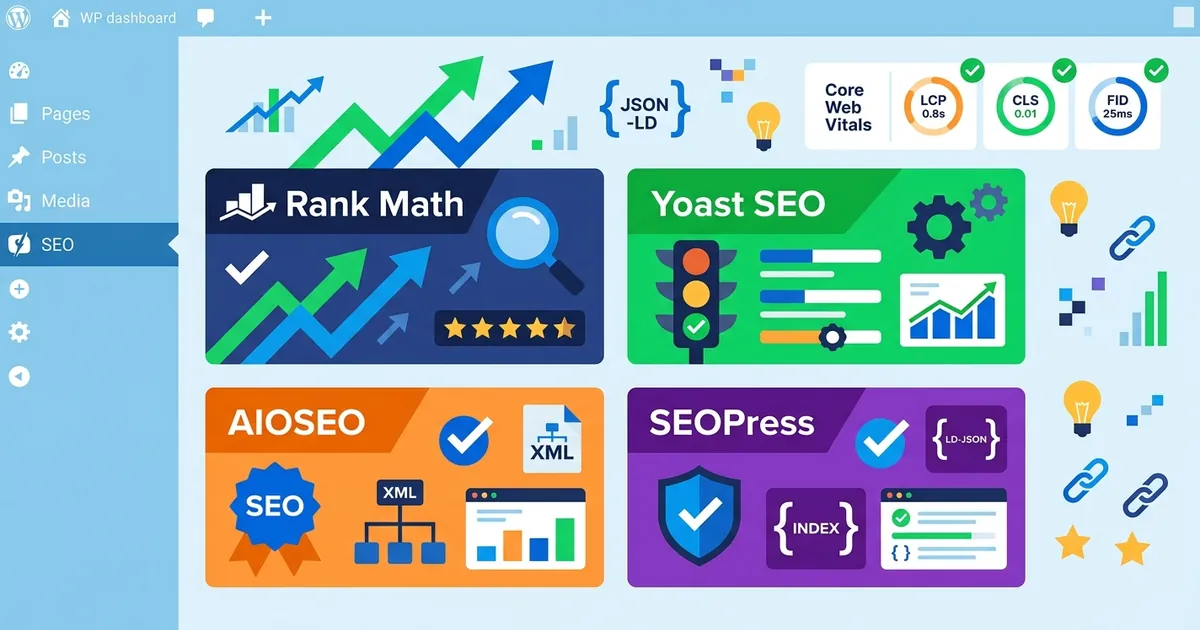
WordPress SEO plugins handle the foundational tasks—meta tags, XML sitemaps, schema markup—that search engines need to crawl and understand your site. But in 2026, a competent SEO plugin must do more. It needs to support AI search optimization with features like llms.txt support and entity markup, so ChatGPT and Perplexity can find and cite your content. Core Web Vitals (Largest Contentful Paint, Interaction to Next Paint, Cumulative Layout Shift) remain ranking factors, and your plugin should integrate with Google’s data without adding bloat. E-E-A-T signals—author biography fields, publication dates, source attribution—are now built into top plugins to align with Google’s Helpful Content updates. Most importantly, setup wizard quality determines whether a beginner can get productive in 10 minutes or abandons the tool after an hour of confusion. This guide compares the best WordPress SEO plugins for 2026 and walks you through setup.

Rank Math vs Yoast SEO vs AIOSEO: side-by-side comparison
Four plugins dominate the 2026 WordPress SEO market, each with a distinct user fit. Rank Math leads on free-tier depth, Yoast on beginner education, AIOSEO on setup speed, and SEOPress on price-per-feature ratio. Pricing fragmentation has intensified: Yoast charges per-site ($99/year), Rank Math Pro covers unlimited personal sites ($83.88/year), AIOSEO uses tiered plans (starting at $49.50/year for one site), and SEOPress starts at $49/year for one site ($149/year for unlimited sites). For agencies and multi-site operators, the math differs sharply from single-site owners.
Free tier feature depth
Rank Math’s free version is objectively the deepest. You get unlimited keyword tracking per post, 18+ pre-built schema types, a redirect manager, 404 monitoring, Google Analytics 4 integration, and Google Search Console data inside the WordPress dashboard—all without paying. This is not a limited free tier; it’s a near-complete SEO toolset held back only by multi-keyword support (Pro tracks five focus keywords; free tracks one).
Yoast free limits you to one focus keyword per page, offers limited schema support, and teaches you SEO through educational tooltips and readability scoring. The plugin has 13 million active installations precisely because its free version is genuinely useful for learners. AIOSEO free includes keyword tracking, schema automation, and readability checks across unlimited sites. SEOPress free offers unlimited keyword analysis in its content optimization tool—another genuinely generous boundary.
Setup wizard speed and beginner-friendliness
AIOSEO’s setup wizard completes core configuration in approximately 10 minutes without requiring prior SEO knowledge. You select your site type, define your organization or person, choose search visibility settings, and connect Google Search Console. Sensible defaults mean you can hit “save” and start writing.
Yoast’s guided setup takes similarly long and includes educational tooltips explaining each choice—useful if you want to understand why you’re making these decisions. Rank Math’s installation is fast, but the interface surfaces advanced options that can overwhelm non-technical users. If you’re a founder who’s never touched an SEO tool, AIOSEO or Yoast. If you’re willing to learn, Rank Math rewards that effort.
AI search optimization and llms.txt support
Rank Math includes native AI content writing, entity markup for structured data, and emerging llms.txt helpers to support AI crawlers like Claude and Perplexity. AIOSEO offers TruSEO AI on-page scoring and is building out AEO (AI Engine Optimization) features. Yoast moves slower here; the plugin focuses on traditional Google SEO and hasn’t yet built first-party AI search features. SEOPress introduced beta AI-powered content scoring in 2026. This is a genuine 2026 advantage area for Rank Math and AIOSEO; as of May 2026, llms.txt and entity markup remain optional but increasingly expected alongside robots.txt and traditional schema.
Schema markup and Core Web Vitals: non-negotiable 2026 features
SEO plugins do not directly improve Core Web Vitals—that job belongs to caching plugins (WP Rocket, Jetpack Boost) and image optimization (Smush). But your SEO plugin must analyze Core Web Vitals data from Google Search Console and surface it in the dashboard. Rank Math and AIOSEO report CWV thresholds (LCP under 2.5 seconds, INP under 200 milliseconds, CLS under 0.1) within the plugin; you can see which pages need attention without leaving WordPress.
Schema markup support is now non-negotiable. Your plugin must auto-generate FAQ, HowTo, Article, Product, Organization, and Review schema from block content. Rank Math and AIOSEO excel here with block-level schema mapping that requires zero JSON-LD hand-editing. Yoast offers strong schema automation but supports fewer advanced types. None require developers to write custom JSON-LD anymore; automation is the baseline.
E-E-A-T signals (Experience, Expertise, Authoritativeness, Trustworthiness) are now enforced through author bio fields, emphasis on publication dates, and citation-linking helpers. Top plugins now prompt you to fill author metadata and link to sources, aligning with Google’s Helpful Content updates. This builds trust signals that help both human readers and AI systems understand who wrote the content and why they’re credible.
Migration from Yoast to Rank Math: data preservation and testing
Switching plugins was once a painful, error-prone process. In 2026, it’s routine. Rank Math’s one-click importer preserves all metadata, schema configuration, redirects, and sitemaps from Yoast with no manual work. Block converters automatically transform Yoast FAQ and HowTo blocks during import, preserving content structure.
Best practice: clone your site to staging, test the importer there, and verify 100% data transfer on five random pages before touching the live site. Confirm that metadata displays correctly in search results, schema renders in Google’s Rich Results Test, and redirects work. AIOSEO offers an equally reliable Yoast importer; both solve the historical lock-in problem that once made switching prohibitively expensive.
Once staging tests pass, deploy to your live site. Keep Yoast deactivated (not deleted) for a week before final removal. Monitor Google Search Console for crawl errors; migrations rarely produce any, but it’s the safest precaution. You can now choose your plugin based on current fit, not historical switching cost.
Choosing the right plugin: power-user vs. beginner assessment
Beginners (non-technical founders) should start with AIOSEO or Yoast. Both offer 10-minute guided setups, educational guidance, and dashboards that don’t demand prior SEO knowledge. Avoid Rank Math’s advanced options overload if you’ve never touched an SEO tool.
Intermediate site owners (small business managing their own SEO) get the most from Rank Math Pro. The free tier is genuinely complete; the paid tier costs $83.88/year for unlimited personal sites and adds multi-keyword tracking, content AI, and priority support. This strikes the best balance between features and usability for self-directed SEO teams.
Power-users (developers, in-house SEO teams, agencies) choose Rank Math for its modular architecture and developer hooks, or The SEO Framework for the lightest footprint in the market. SEOPress appeals to agencies seeking technical depth at low cost ($49/year for unlimited sites with white-label capability).
A hard rule: install only one all-in-one SEO plugin. Running Yoast and Rank Math simultaneously creates schema conflicts and metadata duplication. Choose one, master it, and pair it with specialized tools—a caching plugin for performance, an image optimizer for media, and a redirect manager if needed. Plugin consolidation beats sprawl.
The real bottleneck most small sites face isn’t technical SEO—it’s content velocity. You can optimize every page perfectly, but if you publish one article per quarter, you’ll struggle to rank. Consistent, high-quality content matters more than plugin features alone. Makasete, an automated weekly SEO article service for WordPress sites from $40/month, removes the content bottleneck independent of which plugin you choose. The plugin picks the lock; you still need quality content to turn the knob.
Plugin stack architecture: avoiding conflicts and redundancy
A lean plugin stack outperforms a bloated one. Install your chosen all-in-one SEO plugin, a caching layer (WP Rocket or Jetpack Boost), and an image optimizer (Smush). This trio covers SEO, performance, and media without redundancy or conflict. Never install two SEO plugins; they will fight for schema generation and metadata output.
2026 agencies standardize on Rank Math for SEO, Jetpack Boost for caching, and Smush for image optimization. This stack is stable, non-conflicting, and covers every technical SEO need without excess weight. Additional tools (redirect managers, analytics connectors) should only be installed if your chosen SEO plugin doesn’t already include them. Yoast, Rank Math, AIOSEO, and SEOPress all bundle most functions you need; check their feature lists before installing redundant plugins.
AI search optimization and llms.txt: 2026 essentials explained
llms.txt is a plain-text file that tells AI crawlers (ChatGPT, Claude, Perplexity) how your site is organized and which pages matter most. It’s the AI equivalent of robots.txt. Emerging but optional in May 2026, it’s increasingly expected alongside traditional search visibility setup.
Rank Math and AIOSEO include basic llms.txt generators; more advanced tools like the Website LLMs.txt plugin and LovedByAI offer AI citation tracking and visibility analytics distinct from Google Search Console. Entity markup—structured data that auto-generates Person, Organization, and Product entities—helps AI systems extract and cite your content accurately. Citation-ready formatting adds source and attribution metadata so ChatGPT and Perplexity can properly credit you when referencing your work.
The practical impact is uncertain but promising. Content optimized for llms.txt and entity markup may appear in ChatGPT knowledge cutoffs and Perplexity citations, driving indirect traffic and brand visibility in AI-generated responses. AEO (AI Engine Optimization) and GEO (Generative Engine Optimization) are emerging frameworks; as of May 2026, plugins are only beginning to support them. Plan for it now, implement it later.
Quick setup walkthrough: Rank Math or AIOSEO in under 20 minutes
Install your chosen plugin, activate it, and let the setup wizard run. Both Rank Math and AIOSEO offer guided configuration that handles defaults correctly. You select your site type, define your organization or person representation, enable search visibility, and connect Google Search Console. The process is intentionally simple because defaults are good. Customize later only if you find specific optimization opportunities after ranking.
After setup, test five pages to verify that metadata displays correctly in search previews, schema renders in Google’s Rich Results Test tool, and your sitemap is indexable at yourdomain.com/sitemap.xml. If all three pass, you’re done. Don’t obsess over settings; the plugin will work fine with defaults while you focus on writing great content and building a comprehensive WordPress SEO strategy and best practices.
Solid technical SEO is the foundation, but proper keyword research methodology for WordPress and an understanding of SEO ROI and cost comparison ensure your efforts translate to traffic and revenue. Start here, layer in those pieces, and measure results in Search Console month by month.