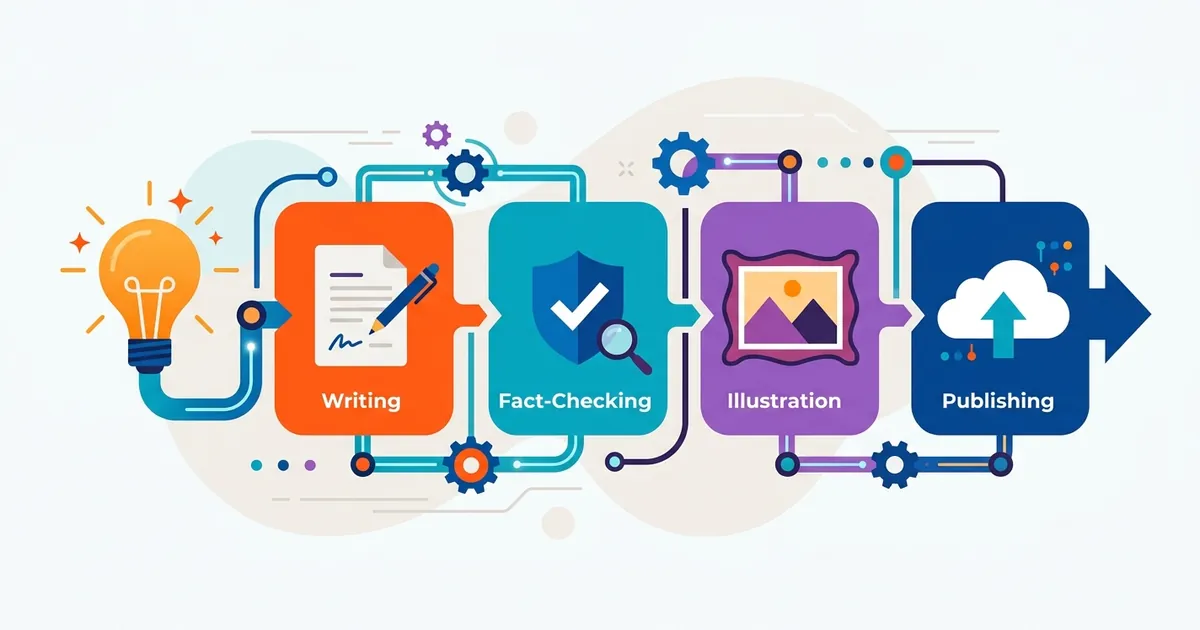
A content pipeline is the system that moves an idea from inception to publication — predictably, at scale, without chaos. Most teams don’t have one. Work happens across tools, feedback gets lost in Slack, drafts sit unedited for weeks, and by the time something publishes, the moment has passed.
The alternative is a structured, repeatable pipeline. When you have one, bottlenecks become visible, roles are clear, and teams consistently publish more without adding headcount.

What a pipeline actually does
Get the pipeline right and you get four things for free: speed, consistency, scalability, and quality control — in that order.
-
Speed — publishing three weeks late is almost as useless as not publishing at all
-
Consistency — readers and search engines notice when tone or accuracy varies
-
Scalability — ad-hoc processes break the moment you want to publish more
-
Quality control — fast content still needs to be accurate and on-brand
Every recurring question gets answered once and documented. Who edits this? When does it publish? What format does the CMS expect? You make the call once. After that, the pipeline answers it.
According to a Gleanster survey of over 3,400 B2B companies, 67% of respondents said there was room for improvement in their content processes — and the average firm spent an estimated $120,000 in excess headcount annually compared to efficiency-optimized peers. Organizations that do invest in content efficiency produce roughly twice as much content as peers, and do so about 163% faster using the same resources, according to IDC data cited by Acrolinx.
The 10 stages
Every content pipeline moves through the same core stages. The tools and timelines vary by team; the structure doesn’t.
|
Stage |
Purpose |
Output |
|---|---|---|
|
1. Ideation |
Brainstorm topics aligned to audience needs |
Shortlist of topic angles |
|
2. Keyword research |
Find volume, intent, and competitive opportunity |
Target keyword + content angle |
|
3. Topic approval |
Manager reviews and approves direction |
Green light to draft |
|
4. Drafting |
Write the first complete draft |
Rough draft |
|
5. Editing |
Refine language, fact-check, enforce brand voice |
Polished draft |
|
6. SEO optimization |
Add keywords, internal links, metadata, alt text |
Search-ready article |
|
7. Approval |
Stakeholder sign-off before publishing |
Approved draft |
|
8. CMS formatting |
Import into WordPress/Webflow/HubSpot with all metadata |
Publish-ready post |
|
9. Publishing & indexing |
Schedule, publish, notify search engines |
Live article |
|
10. Performance tracking |
Monitor traffic, rankings, and engagement |
Data to inform next cycle |
How AI compresses the timeline
The bottleneck in most workflows isn’t writing — it’s waiting. One person finishes, then the next person starts. AI pipelines break that dependency: while an editor reviews Monday’s article, Tuesday’s is already being drafted. That overlap is what cuts production time in practice.
The drafting phase shows the clearest gains. A manual blog post takes around four hours on average, with research-heavy posts running six hours or more (Orbit Media). An AI-assisted draft — where a writer prompts an AI tool and gets a working first draft in 30–90 minutes — can substantially reduce that time, though gains vary by content type, writer experience, and how much revision the draft requires afterward.
The most credible independent data points to 30–50% faster production for most teams. You’ll see vendors claiming 80% — those numbers usually assume best-case conditions and minimal human review.
Where humans stay essential
AI drafts, but it can’t verify. AI models can hallucinate facts, invent statistics, and drift from brand voice. Research from Adobe, Optimizely, and multiple content operations studies consistently finds that human editors are currently the most reliable check against these risks. Human review before publishing is strongly recommended — one editor catching a fabricated statistic before it goes live is worth far more than the time saved generating the draft.
CMS integration: eliminating the publishing tax
Manual publishing — copy text, paste into CMS, upload image, write metadata, set categories, format links, schedule — takes 30 minutes to over an hour per article depending on complexity. For a team publishing four articles per week, that’s untracked labor that quietly drains capacity.
CMS integration via API eliminates this entirely. When an article is marked “ready to publish,” the integration:
-
Creates the post
-
Pastes the article body
-
Uploads and attaches the featured image
-
Populates SEO title, meta description, categories, and tags
-
Schedules the publish time
All automatically. WordPress has supported this via its REST API since version 4.7. No-code platforms like Zapier, Make, and Activepieces can connect your content tools to WordPress without custom development. Teams that implement this report gaining capacity for 20–30% more content without adding staff.
Approval workflows: the most common bottleneck
Approval is where most pipelines stall. An article waits days for one person to review it because the notification got buried, or they deprioritized it. Multiply that across four articles per month and you’re perpetually behind.
Five-stage approval model:
-
Content creation — writer delivers draft to shared workspace
-
Peer review — tone, clarity, brand voice check
-
Editorial review — fact accuracy, SEO compliance, link strategy
-
Manager/legal review — if required by content type
-
Final approval — publisher confirms publish date
Tailor it to the stakes. A social post might skip straight to final approval. A legal or technical article might add an SME review between editorial and manager sign-off.
How to fix slow approvals:
-
Route notifications via Slack or in-app alerts, not email
-
Set SLAs: reviewers have one business day, or content escalates to their manager
-
Run parallel approvals for roles that don’t depend on each other
-
Auto-approve low-risk content that passes plagiarism checks and brand guidelines
Building your pipeline: process, people, tools
Process
The 10 stages aren’t a mandate — they’re a starting point. A two-person team probably has one person drafting and editing. A team of ten probably has dedicated SEO and a separate publisher. Neither is wrong. What matters is writing it down.
Document each stage: what the input and output are, how long it should take, and what happens if something goes wrong. A pipeline that exists only in someone’s head disappears when they leave.
People
Assign a role owner to each stage. Common roles: content strategist, writer, editor, SEO specialist, publisher. Build a RACI matrix — who is Responsible, Accountable, Consulted, Informed at each stage.
Figure out who breaks ties before anyone needs to. “Ask the content manager” is a fine answer — as long as everyone knows it going in.
Tools
Two paths:
Unified platform — handles keyword research, drafting, editing, approval, scheduling, and CMS publishing in one system. Single source of truth, simpler onboarding, fewer integrations to maintain. Tradeoff: no unified platform is best-in-class at every function.
Fragmented stack — best-in-class tools for each job (e.g. Ahrefs for keyword research, a dedicated editor, CoSchedule for scheduling, WordPress for publishing) connected via Zapier. Tradeoff: manual data transfer, more overhead, higher integration complexity.
Small teams — say, one to three people — almost always do better with a unified platform. The integration overhead of a fragmented stack eats the time you saved on tool quality. Specialists on larger teams are the exception: if your SEO person lives in Ahrefs and won’t leave it, build around that.
Common bottlenecks and fixes
|
Bottleneck |
Cause |
Fix |
|---|---|---|
|
Approval delays |
No SLA, buried notifications |
Automate routing, set 1-day SLA, parallel approvals |
|
Unclear ownership |
No final decision-maker |
RACI matrix, documented escalation rules |
|
Fragmented tooling |
Data lives in multiple places |
Consolidate or connect tools via Zapier/Make |
|
Hallucinations in AI drafts |
AI invents facts or outdated info |
Human editor verifies key claims against primary sources before publishing; AI detection tools like ZeroGPT identify AI-written text but do not check factual accuracy |
Measuring pipeline performance
Track these metrics weekly:
-
Time in stage — how long does an article spend at each phase? (Ideation and keyword research: <1 day each; Drafting: 1–2 days; Editing: 1 day; Approval: 1–2 days; Publishing: <1 day)
-
Approval turnaround — submission to final approval should be under 2 days; if it’s consistently 7, approval is broken
-
Articles published per week — your core output metric
-
Cost per article — writer time + editor time + tool subscriptions + publishing overhead
Run improvement cycles quarterly: pick the worst bottleneck, fix it, re-measure after four weeks.
Quick-reference: workflow by content type
Blog articles — follow the full 10-stage pipeline. Manual: 8–12 hours total. AI-assisted with human review: typically 4–6 hours, though this varies.
Social media — compressed pipeline: ideation → copy → approval → scheduling. Batch-create 10 posts per session, schedule across two weeks. One blog article can generate five to ten social posts, reducing per-piece creation time significantly.
Scaling from 2 to 8 articles per month — the pipeline doesn’t change, you run it in parallel. Once you’re running articles in parallel, the writing stops being the constraint. Approvals become the new bottleneck — five pieces waiting on one reviewer. That’s when you enforce the SLA: one business day to review, or it escalates.